
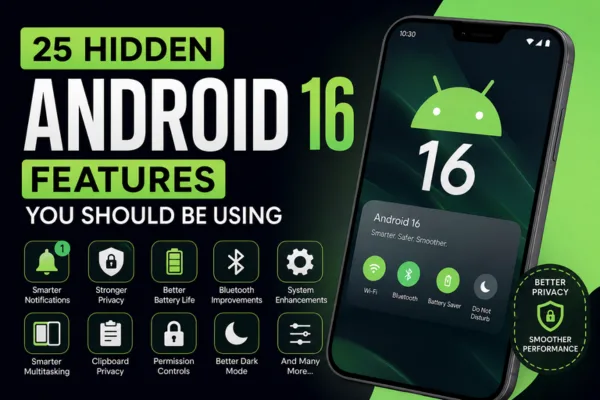
Why Android 16 Feels Different
Android 16 is not just a visual refresh. It focuses on smarter system behavior, better security, improved notifications, and more useful everyday tools.
That matters because most users do not want complicated settings. They want a phone that feels faster, safer, and easier without extra effort.
25 Hidden Android 16 Features
1. Smarter notification grouping
Android 16 does a better job of grouping similar alerts together. This keeps your notification shade cleaner and easier to scan.
2. Priority-based alert handling
The system can treat important alerts differently from low-value ones. That means fewer distractions from repeated or noisy app messages.
3. Better predictive back navigation
Predictive Back feels more polished in Android 16. It shows where your swipe-back action will take you before you complete the gesture.
4. Improved app launch behavior
Frequently used apps may open more smoothly because Android 16 is better at learning your usage patterns. This makes the phone feel more responsive.
5. Stronger clipboard privacy
Android 16 is more careful with copied content. Sensitive clipboard data is handled more safely, which reduces privacy risks.
6. Smarter battery management
Battery use is more adaptive in Android 16. The phone can make better decisions based on how you use apps across the day.
7. Adaptive charging improvements
Charging behavior is more intelligent than before. The phone can reduce long-term battery stress by learning your charging habits.
8. Hidden screen recording controls
Some builds of Android 16 include more refined screen recording behavior. This makes it easier to record only what you need.
9. Better Bluetooth stability
Wireless audio and Bluetooth connections feel more reliable. That helps if you switch between earbuds, speakers, and other devices often.
10. Faster reconnect performance
Android 16 improves how quickly Bluetooth accessories reconnect. This is especially useful for people who use earbuds throughout the day.
11. Improved split-screen memory
The system can remember app combinations better. If you often use two apps together, multitasking becomes more convenient.
12. Cleaner quick settings layout
Android 16 makes quick access controls feel more organized. Important toggles are easier to reach without hunting through menus.
13. Better dark theme behavior
Dark mode works more consistently across apps. It can reduce eye strain and make the UI feel more unified.
14. Smarter app permission handling
Unused apps are managed more carefully. Android 16 helps reduce unnecessary background access and keeps privacy tighter.
15. Background activity limits
The system is more aggressive about controlling unused apps. This can help improve performance and reduce battery drain.
16. Improved notification summaries
Some Android 16 builds can summarize long or busy conversations more clearly. This is useful when you want the main point fast.
17. More stable media playback
Music, video, and streaming behavior feel more polished. That means fewer random glitches when switching apps.
18. Better haptic response
Vibration feedback feels more refined in some Android 16 devices. Small interactions may feel more natural and precise.
19. Safer file sharing controls
Android 16 strengthens how content is shared between apps. This helps protect personal data during transfers.
20. Smarter app standby behavior
Less-used apps may be handled more efficiently in the background. That keeps the phone from wasting resources on apps you rarely open.
21. Improved accessibility behavior
Android 16 continues improving accessibility support. That includes more thoughtful interaction changes for users who rely on assistive tools.
22. Better lock screen information handling
Notification visibility on the lock screen is more flexible. You can reduce sensitive details while still staying informed.
23. Refined auto-rotate behavior
Screen rotation can feel smarter in everyday use. It should react more naturally when you change how you hold the phone.
24. Stronger system privacy cues
Android 16 gives clearer signals when apps use sensitive features. That helps users understand what is happening in the background.
25. More polished overall performance
Not every hidden feature is flashy. Sometimes the best improvement is that the phone simply feels smoother, cleaner, and easier to use.
Also Read: How to Improve Android Battery Life
Features Worth Turning On First
Not every user needs every option, so start with the most useful ones. If you want the biggest everyday payoff, focus on these first:
- Notification grouping.
- Predictive back navigation.
- Battery optimization settings.
- Bluetooth stability improvements.
- Privacy and permission controls.
Why These Hidden Features Matter
The best part about the 25 Hidden Android 16 Features is that they improve the experience quietly. You may not notice them all at once, but together they can make your phone faster, calmer, and more practical.
That is important for users who care about productivity, privacy, and battery life. It also makes the article more useful than a basic feature list, because it explains why the changes matter in real life.
Trending FAQs
What are the most useful hidden Android 16 features?
The most useful ones are notification grouping, predictive back, battery improvements, clipboard privacy, and Bluetooth stability.
Does Android 16 improve battery life?
Yes, Android 16 includes smarter battery handling and better background app control, which can help reduce unnecessary drain.
Are hidden Android 16 features safe to use?
Yes, most are built-in system improvements. Still, it is smart to review privacy and permission settings after updating.
Will all phones get the same Android 16 features?
No, some features depend on the phone brand, software skin, or device model. Pixel phones often get the newest options first.
How can I find hidden Android 16 features?
Check Settings, notification controls, developer options, privacy menus, battery settings, and display options. Some features are not obvious at first glance.
Conclusion
Android 16 is packed with subtle upgrades that improve everyday use in meaningful ways. If you explore the 25 Hidden Android 16 Features, you can unlock better privacy, smoother performance, smarter notifications, and a more polished phone experience.
If you found this guide helpful, share it with fellow Android users, leave a comment with your favorite feature, and explore more related Android tips on your site for deeper reading.